Quick answer: A packaging artwork preflight checklist confirms that one controlled file matches the current approved dieline, package configuration, and revision record before it is sent for supplier review. It improves the handoff, but it does not by itself approve product fit, legal copy, colour on the finished substrate, barcode performance, or production output.
For a brand team, the practical goal is not to make every file follow one universal print rule. It is to make the intended package unambiguous: which structural drawing applies, which panels receive which artwork, what data and finishes are required, who owns each approval, and what evidence is still open.

What should be in a packaging artwork preflight checklist?
A useful preflight checklist starts with the current supplier-issued dieline and an identified artwork revision. It then separates structural instructions, visible graphics, variable data, special finishes, and approval evidence. The selected supplier’s project instructions take priority over a generic checklist because the structure, material, print route, finish, and intended use can change what is feasible.
| That the packed product fits or the construction performs as required. | ||||||||
| Artwork file | SKU/variant, revision, date, file owner, editable source if requested, and a reference PDF. | That every source asset is suitable for the chosen process. | ||||||
| A finished colour match, gloss level, adhesion, or tactile result. | ||||||||
| Readable performance on the finished package. | ||||||||
| Approval of a different later file or material. |
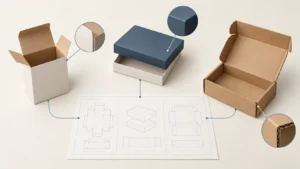
Start with the structure. A supplier-issued drawing is the reference for the agreed geometry; a visual mock-up or an old template is not a substitute. The packaging dieline guide explains why panel order, units, folds, and revision matter before artwork is placed.
Keep four approvals separate
Artwork handoff becomes less risky when the team names the decision rather than calling everything “approved.” Content approval, structural approval, prepress review, and release approval often involve different evidence. One person may own more than one role, but the record should still state what that person actually approved.
| Which exact configuration may move to the next agreed step? | Any later change can reopen one or more checks. |
A digital proof can help check copy, panel placement, and an identified artwork revision. It does not automatically show the finished board, foil, coating, fold behavior, or product fit. Use the custom packaging samples guide to select evidence for the decision that is still open.
Build one controlled handoff package
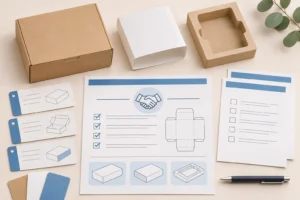
Send a compact, identifiable package rather than several near-identical “final” attachments. The recipient should be able to locate the artwork, the structural reference, the source of important data, and the instructions for special treatments without guessing which attachment controls the job.
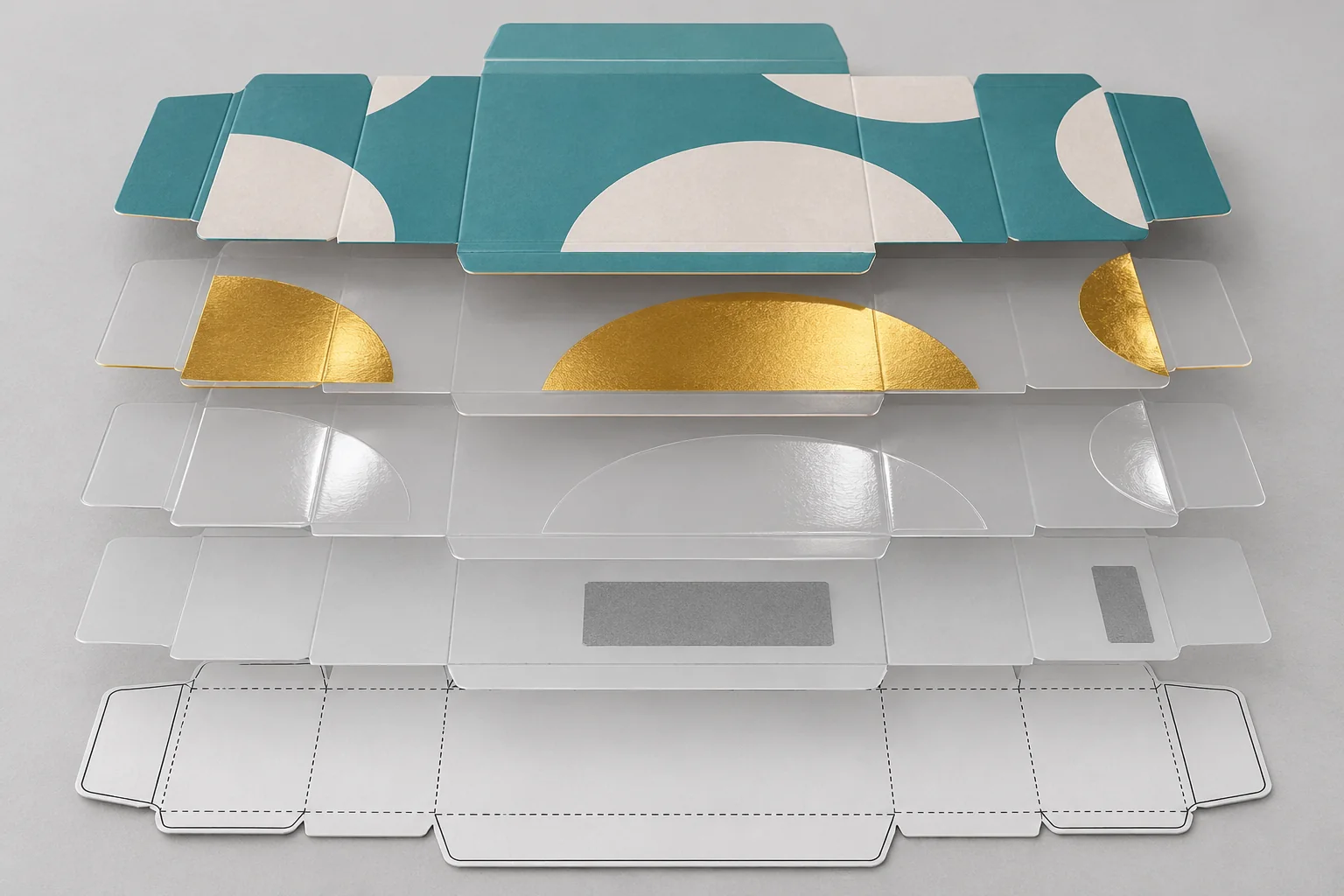
- One identified artwork revision: include the SKU or variant, revision, date, owner, and a readable reference PDF.
- The current structural reference: include the applicable dieline or clearly identify where it is controlled; do not resize or redraw it casually.
- Asset and layer information: identify linked images, fonts or outlined text as requested, as well as separate technical/finish layers.
- A finish map: show the intended relationship of foil, embossing, debossing, Spot UV, coating, white ink, windows, or other treatments to the base artwork.
- Code and variable-data source: identify the owner of the barcode/QR data and any reserved lot, date, serial, or shipment field.
- Open questions: flag anything not yet approved instead of burying it in email comments.
For process-specific context, connect the artwork package to the relevant guide: foil stamping, Spot UV, and film lamination each introduce decisions that a flat visual alone may not settle.
Check barcodes and QR codes as production-critical elements
A code should have an approved data source, intended application, placement, and reserved clear area before artwork is released. GS1 notes that quiet zones, contrast, symbol size, packaging surface, and placement can affect scan quality. A screen image or phone scan is not evidence that the finished printed package will meet the applicable requirement.
The packaging barcode printing guide covers the buyer checklist in more detail. For source guidance, GS1’s 2D barcode retail guideline explains the role of clear space, contrast, surface effects, and project-specific verification. Ask the party responsible for the barcode program to confirm the data and the verification requirement for the actual use case.
Use a proof scope, not a vague sign-off
Record what a proof or sample represents, what it does not represent, and which revision it reflects. That makes the next decision easier: a copy-only correction might need a new artwork review, while a structural, material, finish, or product change can also require a fit or physical-sample decision.
| Change after review | Record before proceeding | Why it matters | ||||||
|---|---|---|---|---|---|---|---|---|
| Similar-looking files can encode or display different information. | ||||||||
| Artwork placement can move when the structure changes. | ||||||||
| Material and treatment can change colour, appearance, folding, and code behavior. | ||||||||
| The product-facing artwork may be correct while the logistics configuration is not. |
The packaging change-control checklist is the next step once an identified approved configuration changes. For a delivered order, the inspection checklist helps compare what arrived with the applicable references.
Copyable packaging artwork preflight checklist
- Confirm the product, SKU/variant, package structure, and current supplier-issued dieline.
- Name the artwork revision, date, owner, and reference PDF.
- Check panel orientation, folds, glue/no-print areas, safe areas, and project-specified bleed.
- Identify artwork, dieline, technical notes, and every special-finish layer separately.
- Confirm the intended colour references and document any open colour or material question.
- Use the approved source for barcode/QR and variable data; protect the required clear space.
- Record what the proof or sample can prove and what needs separate validation.
- Record approver, revision, exceptions, and what changes require another review.
Prepare a clearer artwork handoff for a quote or review
When requesting custom packaging, share the product and pack configuration, the current drawing status, artwork revision, required finishes, code/variable-data owner, quantity, delivery destination, and the questions the proof or sample must resolve. A clear handoff helps a supplier identify what needs clarification without assuming a universal file setting or unverified production result.
Request a custom packaging quote from Packaza with the controlled artwork package and any open preflight questions. The contact page contains the site’s inquiry form; submit commercial information only when your team is ready to begin an inquiry.
Frequently asked questions
Does a packaging artwork preflight approve the final printed box?
No. It improves the clarity of the supplied artwork and technical handoff. Final appearance, fit, finish, code readability, and other requirements need evidence appropriate to the project.
Can I use an old dieline for a new packaging size?
Do not assume that you can. Use the current drawing for the agreed structure and ask for a controlled revision when the product, size, material, closure, or construction changes.
Should the dieline be printed on the package?
Usually it is a technical reference rather than visible artwork, but the project instructions control how it should be supplied and handled. Name the layer clearly and confirm the intended output with the selected supplier.
Does a digital proof confirm barcode performance?
No. It can help check data and placement, but the applicable barcode requirement may also depend on print, substrate, contrast, surface, size, and verification method.
Who approves product claims and regulatory copy?
The responsible brand owner and, where appropriate, its qualified compliance or legal reviewer. A packaging supplier’s preflight review should not be treated as legal advice.
What changes require another artwork review?
Any change that affects copy, code data, dieline, material, finish, product orientation, pack-out, or the named evidence can reopen the relevant approval step. Record the change rather than relying on a filename.
What should I send with an artwork file?
Send the identified revision, reference PDF, applicable dieline, required assets or font information as requested, finish instructions, approved code data, and a concise note of open questions and requested proof scope.
Conclusion
A packaging artwork preflight checklist is most useful when it creates one identifiable handoff: the right drawing, the right file revision, clear layers and data sources, a defined proof scope, and a record of who approves what. Treat generic technical rules as prompts to ask the project-specific question, not as a replacement for supplier instructions or physical evidence.
Sources
- GS1 2D Barcodes at Retail Point-of-Sale Implementation Guideline — barcode clear space, contrast, surface, placement, and verification context.
- GS1 General Specifications — barcode location and packaged-item context.
- ISO graphic-technology standards index — PDF/X prepress data-exchange standards context.